Automation Group
To perform all operations automatically that purpose needs to be configured once ‘Automation Group’ for each operation.
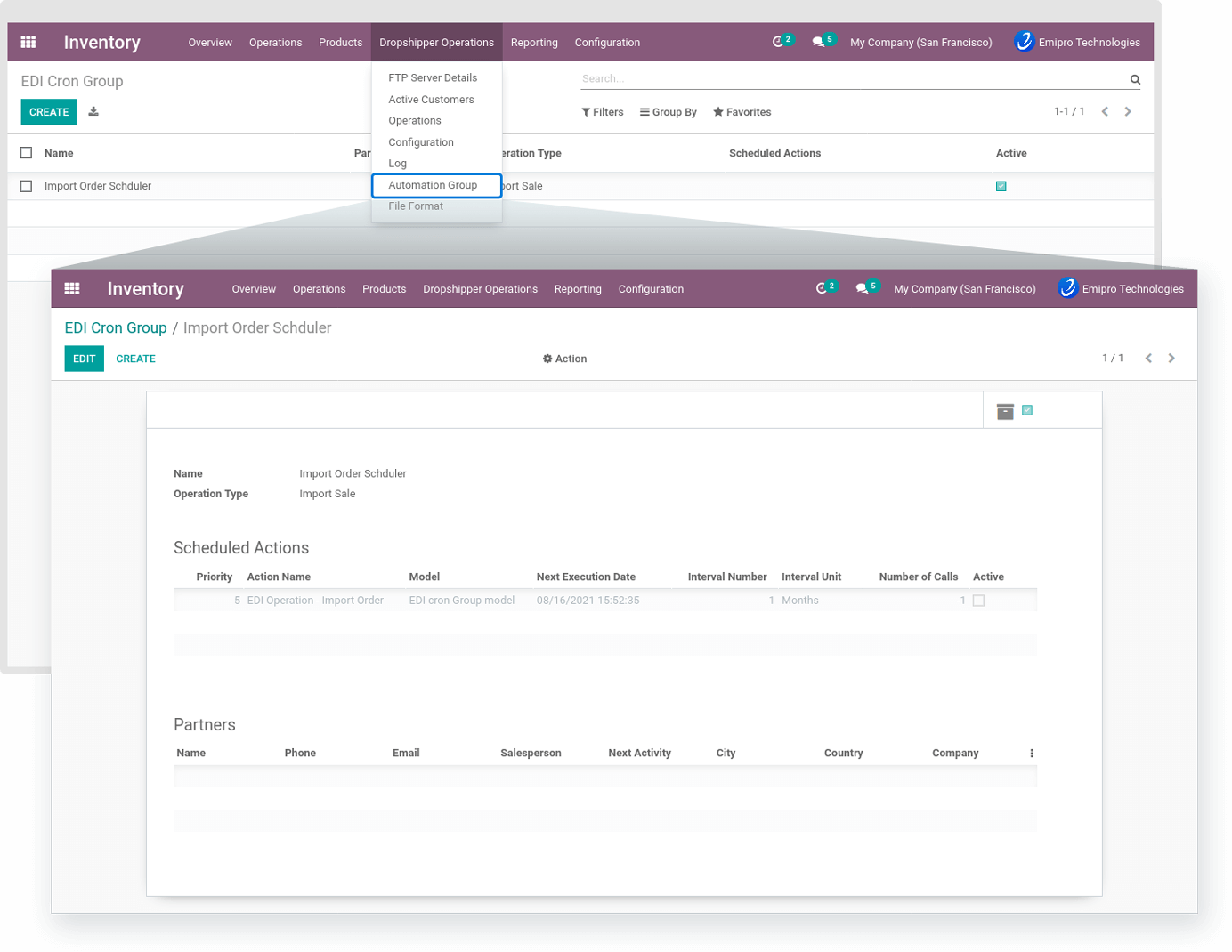
Name :
Set a particular operation convenient name for automation.
Operation Type :
Set a particular operation in the Automation Group.
Scheduled Actions :
You can automatically perform operations using the scheduler for that you need to configure this option and need to configure proper values.
To set a scheduler, the user will require to enter 3 values:
Time:you can set the interval in Hours & Days which means the scheduler will run after a selected time interval.
Execution date & time: Here you can set the execution date & time from when the scheduler will start.
User: You have to select the user through which you want the task to be carried out. Make sure that the user selected for this task should possess the rights for the same.
Partners :
Inside a customer, there is a configuration-related cron. When you configure that option in the customer then that customer will be visible to that operation relevant cron automatically.