Flow When Box Information Is Known
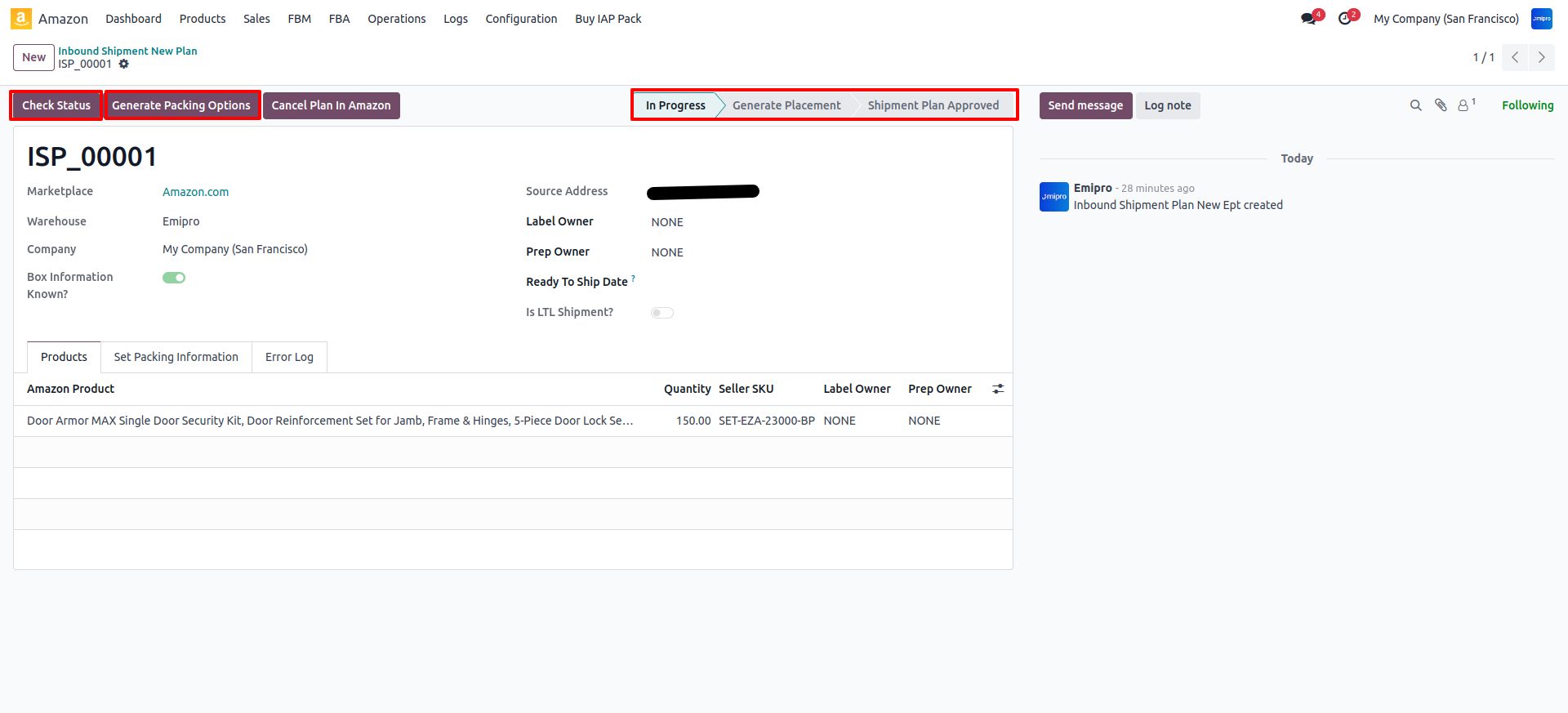
- Step 2 : (A) Generate Packing Options:
After completing Step 1, a new button labeled Generate Packing Option will appear in the plan. Click this button to generate the packing options for the shipment plan.
- Step 2 : (B)List Packing Options:
After completing Step 2-(A), a new button labeled List Packing Options will appear in the plan. Click this button to list packing options available for the shipment plan Select any one packing option.
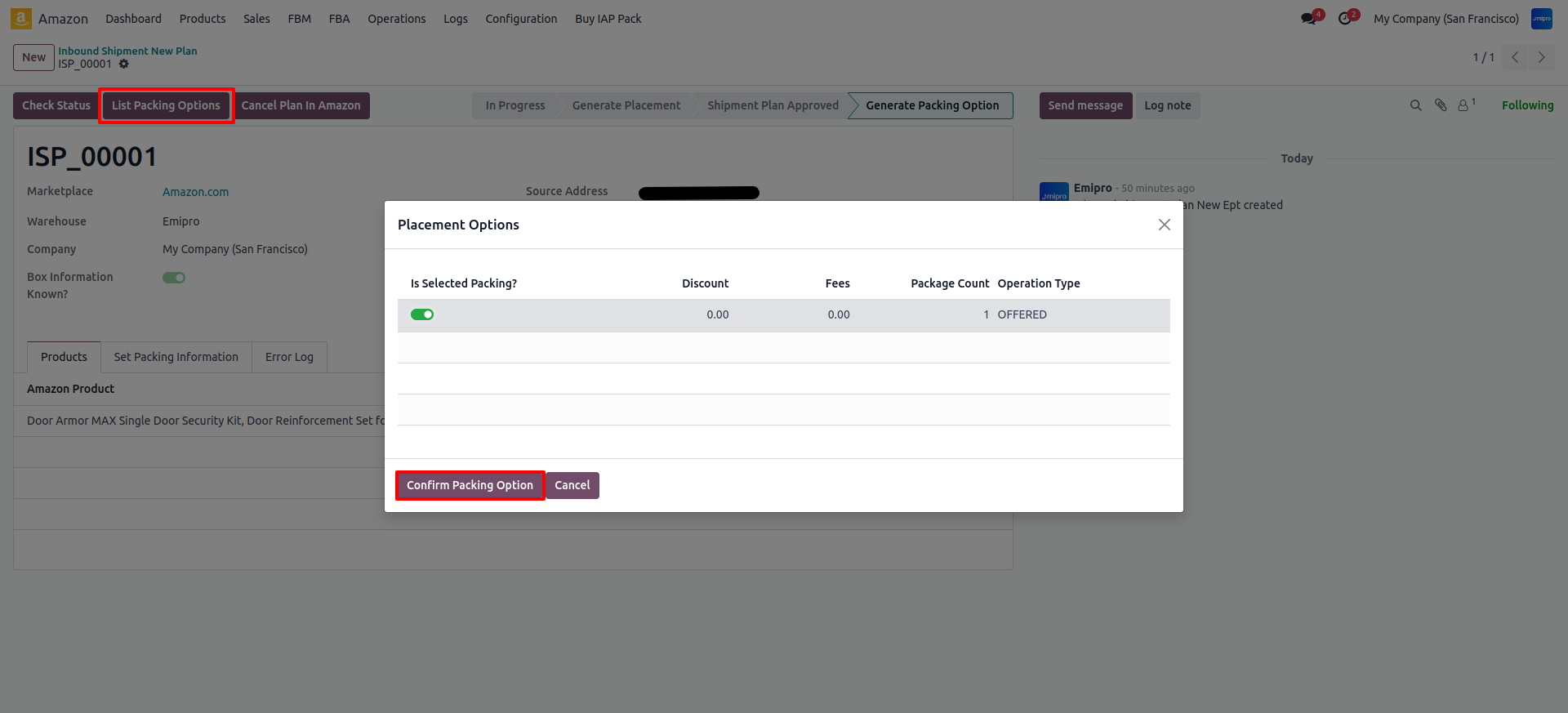
- Step 2 : (C)Confirm Packing Option:
After clicking on the List Packing option button system will display available packing options for the plan Select only one option from the list and click on Confirm Packing Option button.