Webhook Order Configuration
When you activate a feature of Webhooks for orders, connector will provide you an additional configuration “Webhook Order Configuration”. It is based on your requirements, if you want to use these additional features then you can activate. Otherwise it is not mandatory to activate.
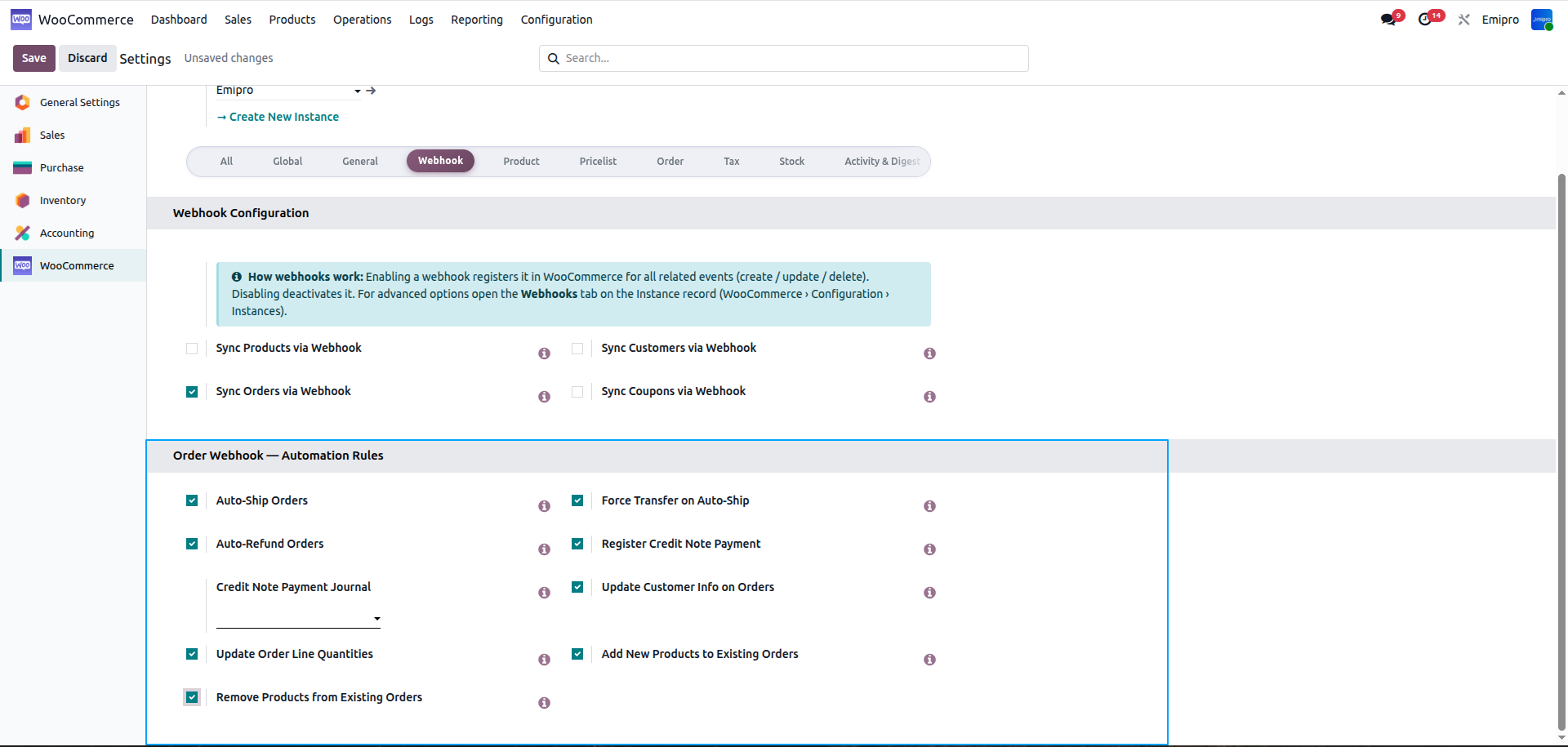
Would you like to enable Auto-Ship for orders in WooCommerce to Odoo?
- If this feature is enabled, the system will automatically validate delivery orders when orders are shipped in WooCommerce
Would you like to enable Forceful Transfer Validation from WooCommerce to Odoo?
- If this feature is enabled, the system will automatically validate delivery orders in case inventory is not available in Odoo. This feature is not applicable to the product traceability of Lots & Serial numbers
Would you like to update customers from WooCommerce to Odoo?
- If this feature is enabled, the system will automatically update the customer information in existing orders.
Would you like to add new products from WooCommerce to Odoo?
- If this feature is enabled, the system will automatically add new products to import sales orders when the user manually adds products from the WooCommerce store.
Would you like to enable Auto-Refund from WooCommerce to Odoo?
- If this feature is enabled, the system will automatically generate a credit note in Odoo when a user creates a refund directly in WooCommerce
Would you like to update quantities from WooCommerce to Odoo?
- If this feature is enabled, the system will automatically add/remove quantities in imported orders when the user manually updates quantities from the WooCommerce backend. This feature is not applicable if the order has been shipped in Odoo.
Would you like to remove products from WooCommerce to Odoo?
- If this feature is enabled, the system will automatically set the quantity to 0 on the order line for imported sales orders when the user manually removes products from the WooCommerce store. This feature is not applicable if the product has already been shipped in Odoo