Financial Status
-
Once you have successfully configured sales auto workflow settings and added payment gateway, you will be able to configure your financial status.
-
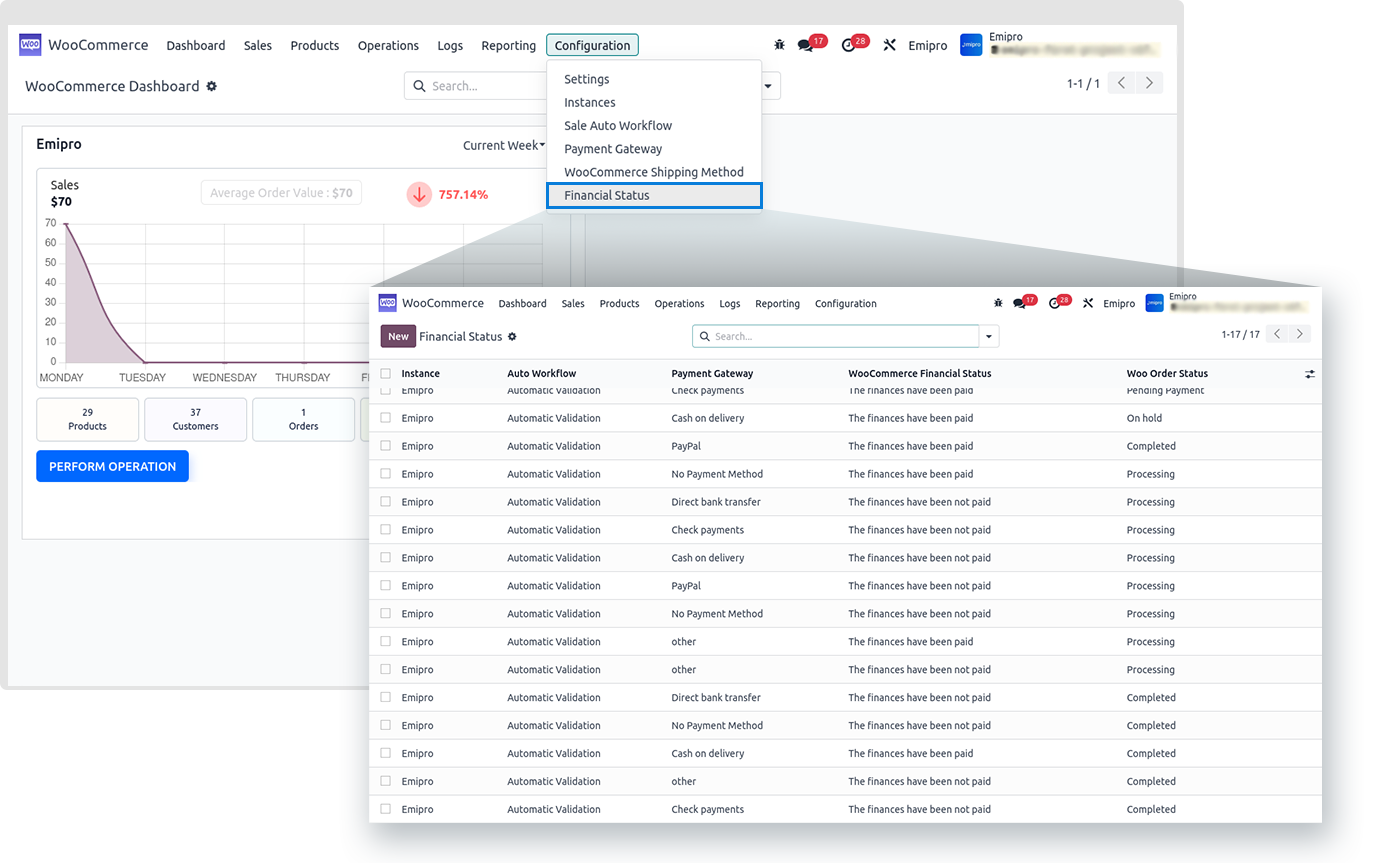
By configuring financial status, you can choose which orders you would like to import, the ones of which financial status is paid or unpaid.
-
For configuring financial status, Navigate to WooCommerce > Configuration > Financial Status and click on the Create button.
-
Select Instance, Auto Workflow, Payment Gateway, Payment Term, and Financial Status that are relevant to you.
Woo Order status
- This field provides various options such as Processing, Pending Payment, On Hold & Completed. Here you can set the appropriate type of order status as per the order status in the WooCommerce Store.