Odoo Configuration
In Odoo Configuration, we provide the three different configurations such as:
- Use sales Description of Odoo
- Net Profit Reports
- Use Default Terms & Conditions of Odoo
Use sales Description of Odoo
- If you enable this configuration, it will be attached with WooCommerce Store’s Product’s description.
- This configuration applies to all WooCommerce instances, not to particular ones.
- The Description value being received from WooCommerce is in HTML format, while it gets stored in Odoo product’s field as Text format. Enable this, only if it works for you.
- The Odoo product’s Sales Description will be used in the Sale order line. Generally, the description received from WooCommerce Store is lengthier. So enable this, only if it works for you.
- When a new product from WooCommerce will be created in Odoo, it will set the Description into Odoo product’s Sales Description field.
- When an Odoo product is exported to WooCommerce Layer, the Sales Description will be added into WooCommerce product’s Description field.
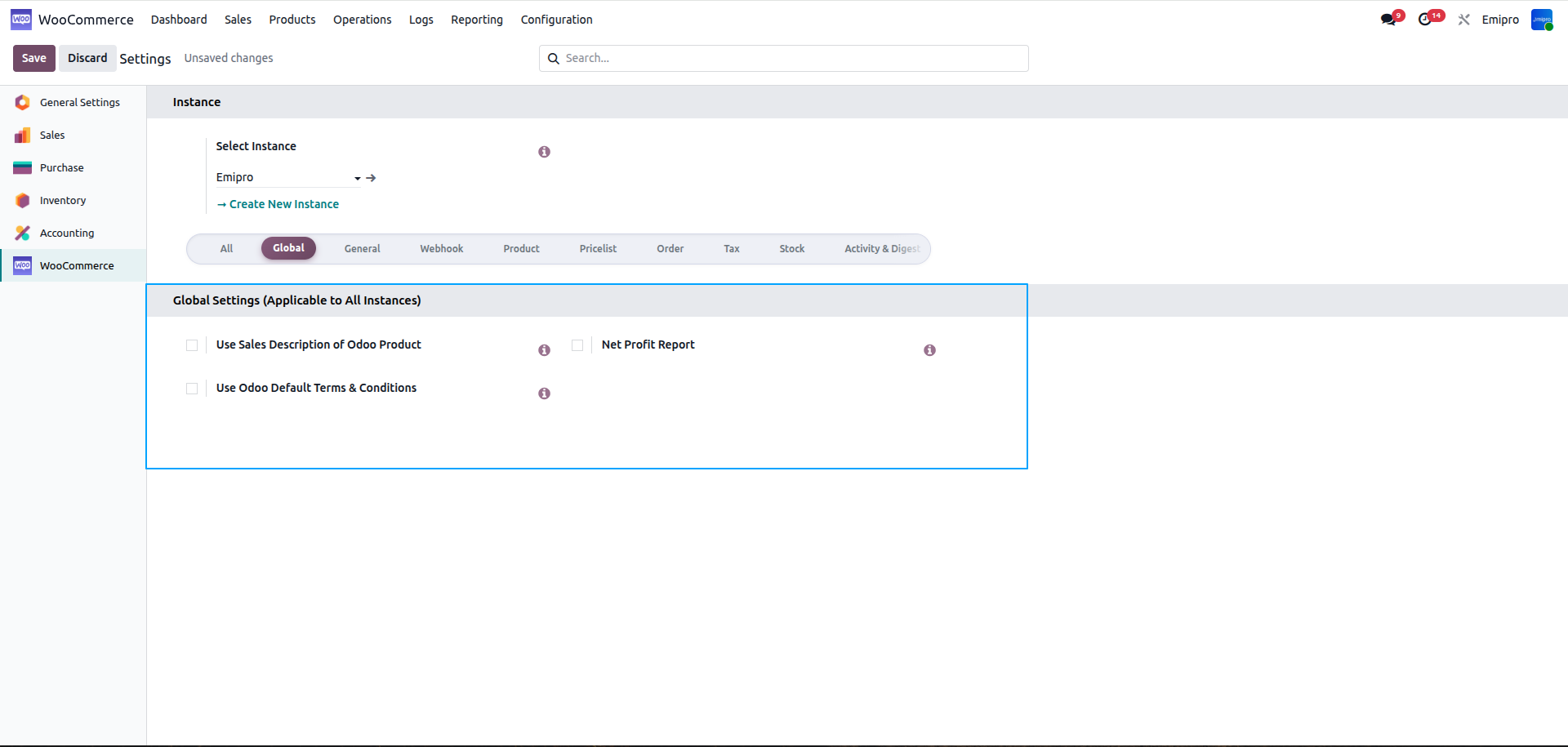
Net Profit Reports
- If you enable this configuration, it will add a net profit report for all instances.
- If you disable this configuration, it will remove the net profit report automatically.
- You can find WooCommerce net profit report from WooCommerce > Reporting > Net profit.
- The WooCommerce net profit report is calculated based on instance level sets, analytics accounts.
-
For more details you can check out the option of reporting in a User Guide.
Use Default Terms & Conditions of Odoo
- If you enable this configuration, it will use Odoo’s default T&C under Sales Order notes, in addition with WooCommerce order’s notes.
- If you disable this configuration, it will import the Sales Order note from WooCommerce order response.