Product Configuration
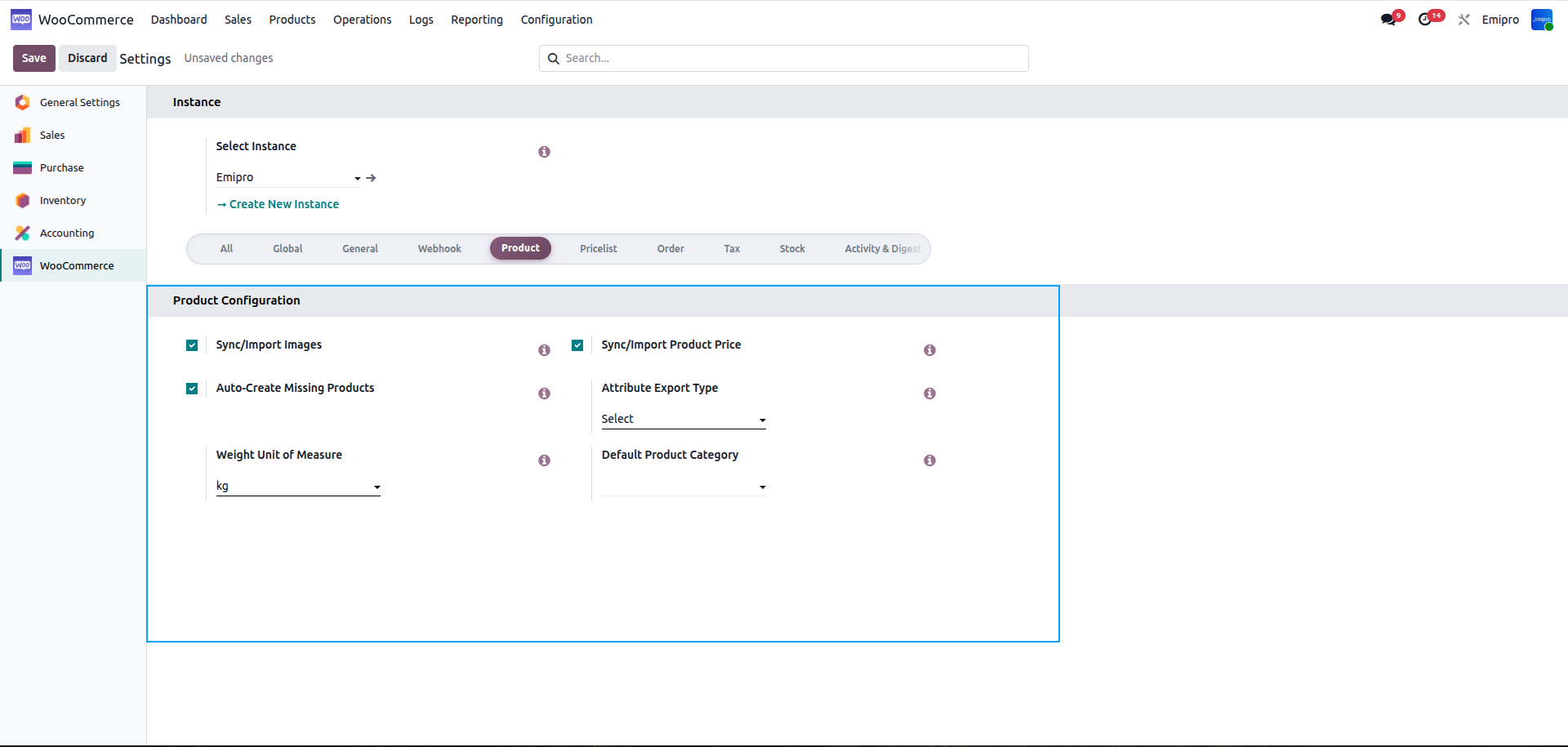
Sync/Import Images?
- If you have activated this feature, when importing products from WooCommerce store to Odoo along with the product information it will also import the images of the products in the product template image tab.
Sync/Import Product Price?
- If you have activated this feature, when importing products from WooCommerce store to Odoo along with the product information it will also import the price of the products. The price will be seen under the Pricelist option.
- For pricelist navigate to Sales -> Products ->Pricelists
Automatically Create Odoo Products If Not Found?
- Once you have activated this feature when importing the products from WooCommerce store to Odoo.
- If the product is not available in Odoo, the system will automatically create the same product in Odoo with the same information as well.
Note:
Please make sure when importing the products from WooCommerce store to Odoo. The products available in WooCommerce store need to have an SKU field and it should be unique. If the product does not have SKU value it will not be imported.
Attribute Type For Export Operation
- With help of this configuration we can export the attributes for the products
- We have two option for the exporting attribute 1.Select and 2.Text
- Select : If you have chosen the Select option, the system will create attributes at global level at WooCommerce Store, which will be accessible across all products.
- Text : If you have chosen the Text option the system will add attributes in particular products. So, the attribute and its values will be exclusively available for that individual product and will not be shared with any other product
Weight Unit
- Select weight unit same as WooCommerce store for setting proper weight in products.
- If this value is different from what is configured in Odoo, the system will do the conversion between both units of measure and while performing the Import/Export operation of products.
- If Odoo weight UoM configuration is LB and WooCommerce store weight UoM is KG then In instance it is necessary to configure KG UoM as WooCommerce UoM and system will automatically convert while export/update products
Product Category
- Select Product Category for set product category on product template.
- Here you will find dropdown manu of various categoury, you can pick as per your requirement.