Coupons - Import/Export and Update
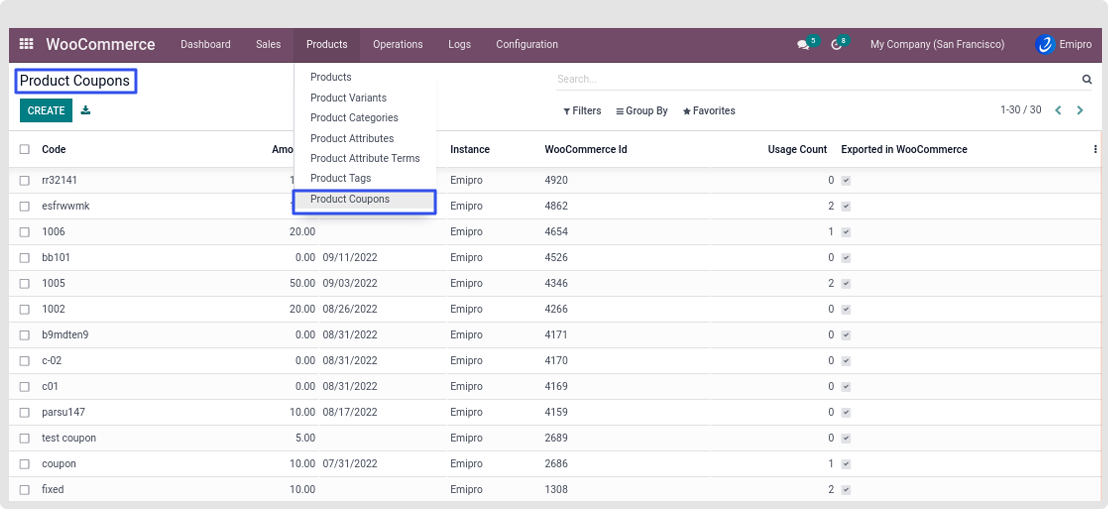
At a dashboard there will be an option of Products, under that there will be an option of Coupons.
Once the coupon is imported you can see under WooCommerce -> Products >Products Coupons.
Import of Coupons
- You can Import Coupons either manually or automatically. If you wish to import the coupons manually.
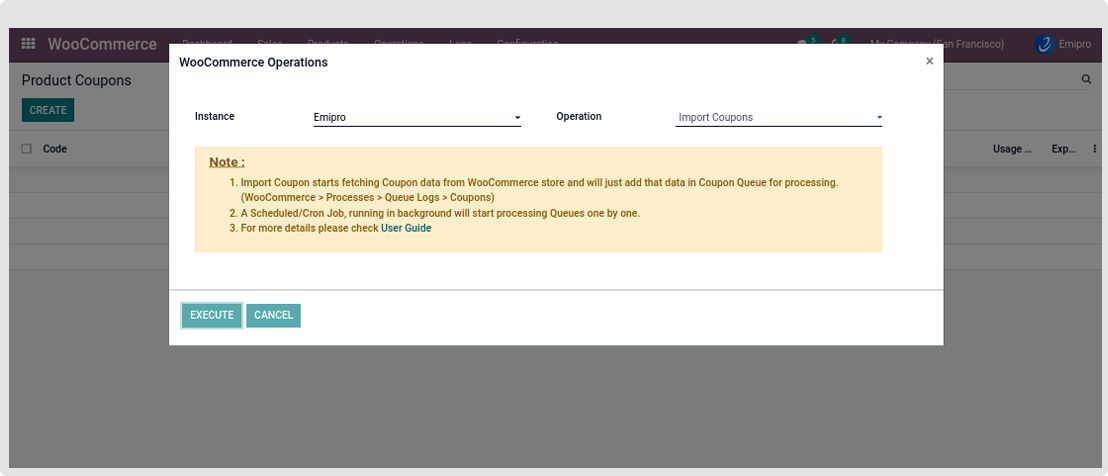
- Navigate to Operations > select the instance in which you wish to Import the coupons and > select operations as an Import Coupons.
- You import coupons automatically you will need to navigate to Configuration > Setting > Under the Webhook Configuration
- You will need to activate Manage Coupons via Webhook.
-
Once you have activated the Webhook for Coupons, after that any new coupons created will be automatically imported to Odoo.
Export of Coupons
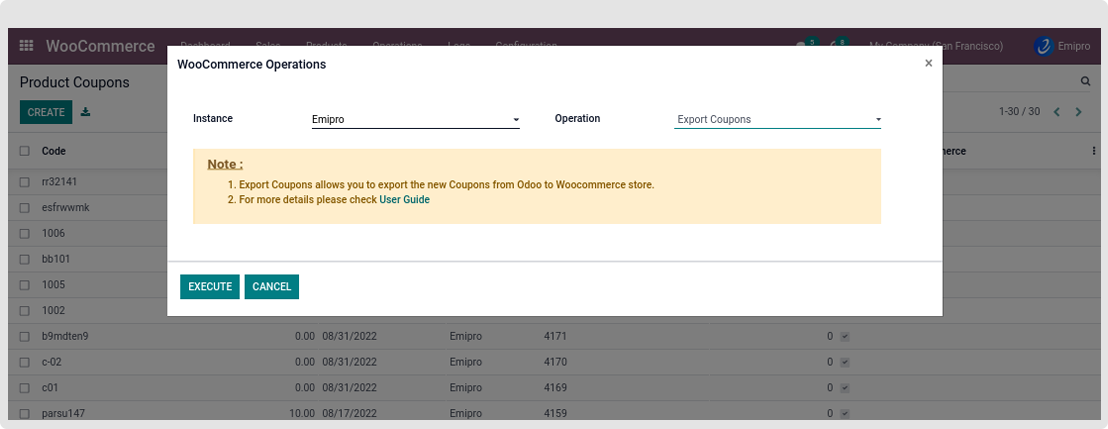
- To export coupons you will need to Navigate to WooCommerce -> Operations -> select the instance and choose Export Coupons or you can choose Update Coupons.
- You can even perform the same operation from the WooCommerce Dashboard, by clicking on Perform Operation.
Update of Coupons
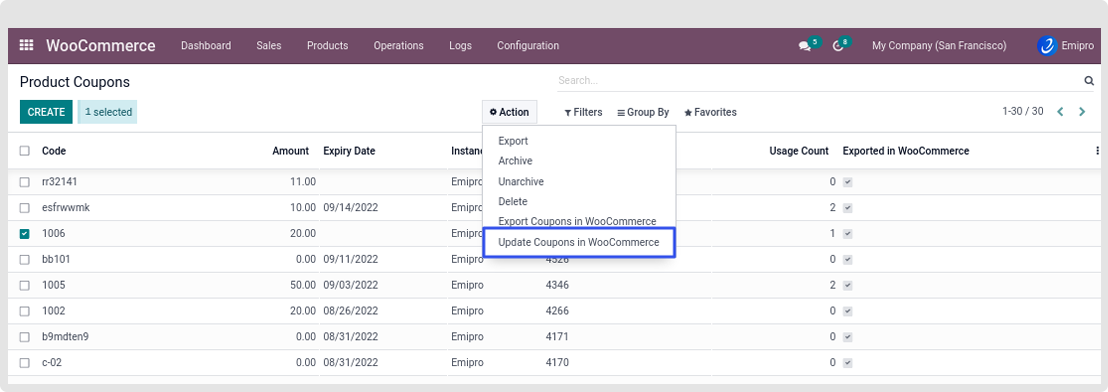
- If you wish to update the existing coupons you will need to navigate to WooCommerce -> Products -> Coupons. Select the coupons you have updated and from the Action menu, you need to select Update Coupons in WooCommerce.